Zampler
A sampler that fits in your pocket
Record any sound around you, chop it across pads, play it in key and stretch it into granular clouds. Then run it through tape, lo-fi and space, and play it all in time.
$2.99 · iPhone and iPad · No accounts, no ads, no tracking
Sample anything
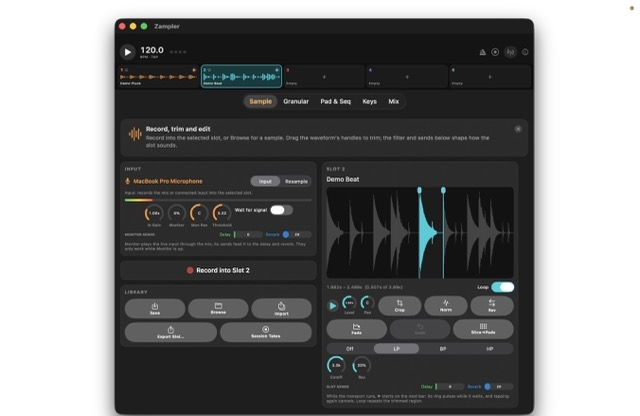
The kettle. A voice memo. A friend’s guitar. Record from the built-in mic or any connected input, and Zampler can start recording when the sound begins. Trim, reverse, normalize and fade, with undo, or import any audio file from the Files app.
Five sounds, always in reach
Five sample slots sit under the transport, each with its own trim, loop, level, filter and effects. While the music plays, a slot you start waits for the next bar, so everything lands in time.
Pads and a step sequencer
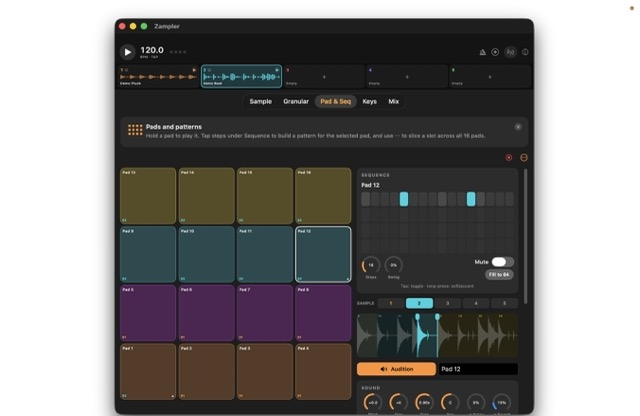
Slice a sample across 16 pads: evenly, at the hits, or chromatically. Each pad has its own pitch, filter, envelope and choke group. Build a beat with the step sequencer (up to 64 steps, with swing and accents), or play it in live and let Zampler keep it on the beat.
Play it in key
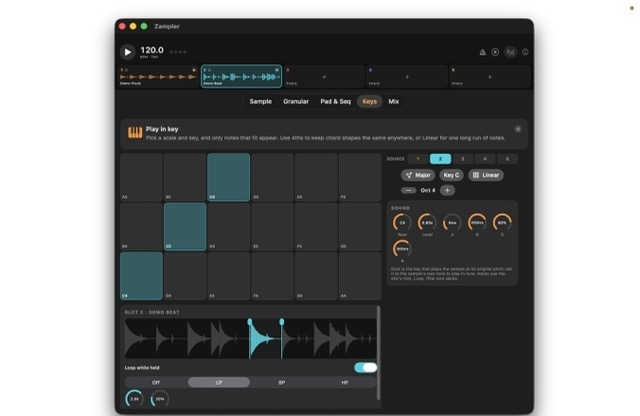
The Keys tab turns any sample into an instrument. Pick a key and a scale, and only the notes that fit appear.
Granular clouds
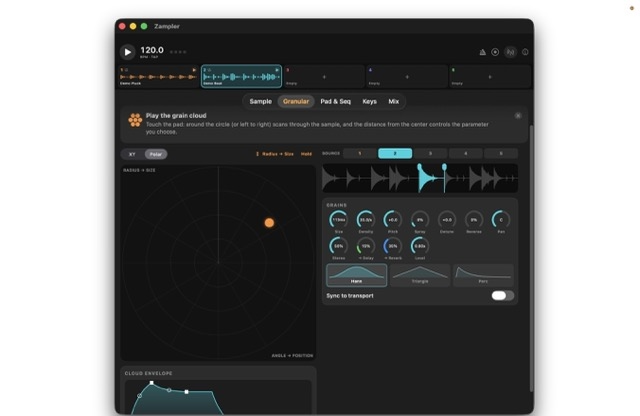
Touch the pad and a sound breaks into hundreds of tiny grains. Move your finger to scan through it while you shape grain size, density, pitch and spray. Hold the cloud, lock it to the tempo, and turn a single word into a whole pad.
Tape, lo-fi and space
- Tape looper with overdub, varispeed, wow and flutter
- Tape delay, synced to the tempo, with ping-pong
- Reverb, including one that uses your own sample as the room
- Lo-fi drive, bit crushing and vinyl crackle
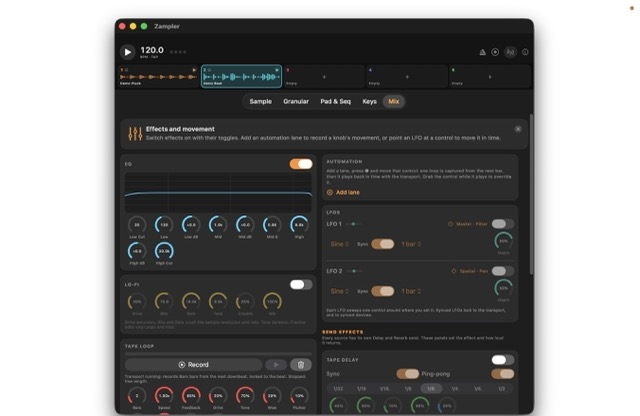
- Resonant filters, chorus, a five-band EQ and a DJ filter
- Two tempo-synced LFOs and up to eight lanes of automation
In your music apps
Load Zampler’s pads as an Audio Unit instrument in GarageBand and other AUv3 apps. Play the 16 pads from the keyboard with velocity, play a sample across the keys, or play the granular cloud from the keys. The sequencer follows the host’s tempo, and your kit and samples are saved with each song.
Record and share
Record your whole performance and export it as WAV, AIFF, FLAC, Apple Lossless or AAC. Your takes appear in the Files app, ready for your DAW.
Better together
Zampler is part of Beatz, a family of music apps that play together.
- Sync: open Zampler and Zynther on nearby iPhones and iPads, and up to eight devices share one tempo and start and stop together. No cables, no setup, no internet.
- Share sounds: record a loop in Zynther, save it to the Beatz library, and open it in Zampler to chop and pitch.
FAQ
What do I need?
An iPhone or iPad running iOS 18 or later. Headphones are recommended when sampling from the mic.
Is there a manual?
Yes. Read the User Guide (PDF). A short welcome tour and tips in the app also cover the essentials.
Does it work in GarageBand?
Yes. Zampler includes an Audio Unit instrument for GarageBand and other AUv3 apps, at no extra cost.
Can I use my own audio files?
Yes. Import any audio file, or drop one into Zampler’s folder in the Files app.
Does it work with Zynther?
Yes. The two apps sync tempo with each other, and recordings from Zynther load into Zampler through the shared Beatz library.
Is there a subscription?
No. Zampler is a one-time purchase of $2.99, with no in-app purchases.
What about my privacy?
Zampler collects no data: no accounts, no ads, no tracking. Your recordings stay on your device. Read the privacy policy.
Need help?
Send a message through the contact page. Every message is read.